
Every location, every visitor,
one dashboard.
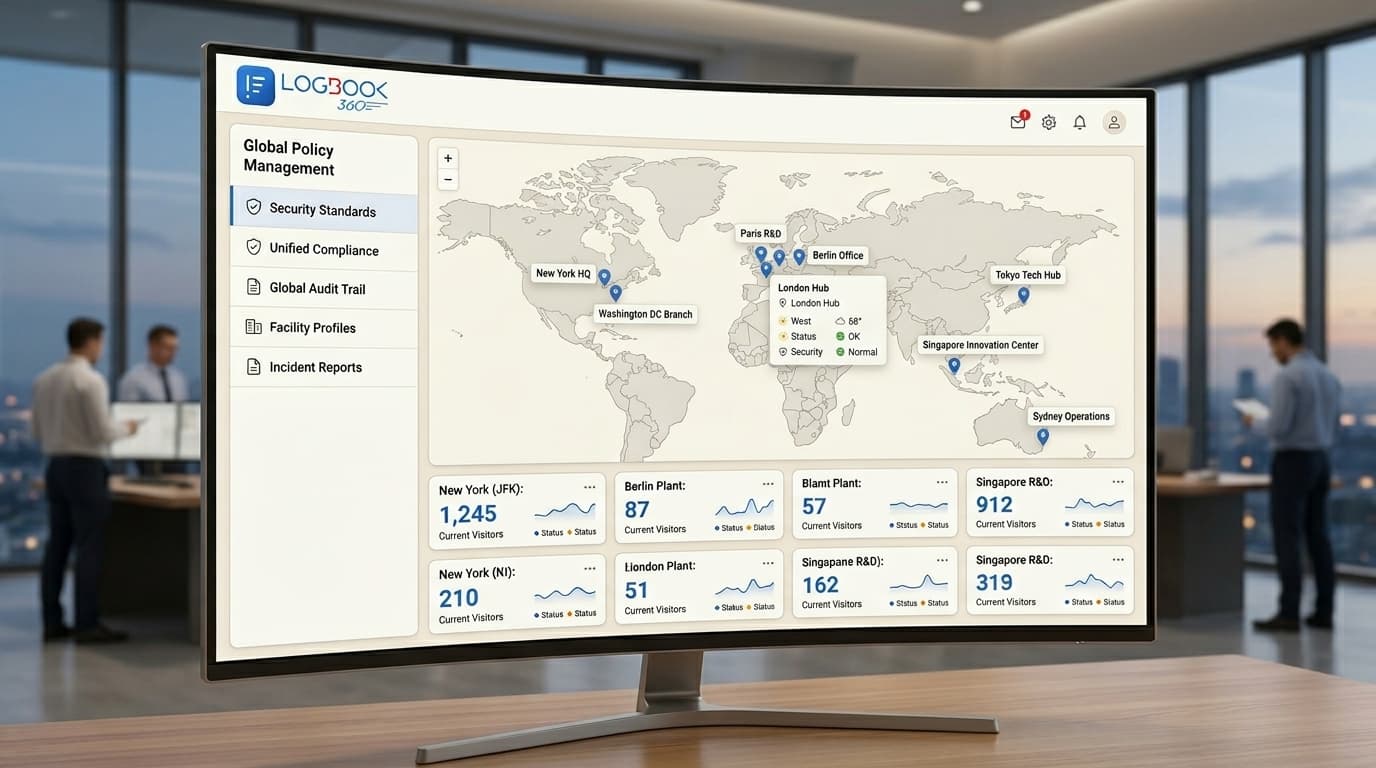
Running visitor management site by site means inconsistent policies and no global view. LogBook360 centralizes every office, campus, and facility into one dashboard, with unified policies, per-location reporting, single sign-on, and role-based control across unlimited locations.
Scale breaks a single-site setup
What works for one front desk falls apart across twenty. Without centralization, every site improvises, and leadership has no consistent view of security or visitor activity.
Centralized control with local flexibility
LogBook360 gives headquarters one source of truth while letting each location keep the fields and workflows it needs.
Set policy once. Apply it everywhere.
Update a screening rule or an NDA at headquarters and it propagates to every location instantly. Open a new office and clone a proven template, your newest site is as secure and consistent as your flagship on day one.
- One policy source of truth across all sites
- Per-location reporting that rolls up org-wide
- Clone-a-template rollout for new locations
Enterprise-grade compliance
LogBook360 gives security, IT, and compliance teams consistent, exportable evidence across every location.
Frequently asked questions
What is multi-location visitor management?
It is managing visitor check-in, screening, and reporting across many offices, campuses, or sites from one centralized system. LogBook360 gives you a single dashboard, unified policies, and per-location reporting across unlimited locations.
How many locations does LogBook360 support?
Unlimited. Enterprise plans include unlimited locations with centralized management, consistent policies, and per-location reporting, all from one dashboard.
Can each location keep its own check-in fields?
Yes. Headquarters sets global policies like screening and retention, while each location can keep its own fields, agreements, and host lists, so you get consistency without forcing every site into the same form.
Does it support single sign-on and directory sync?
Yes. LogBook360 integrates with Okta, Azure AD, Google Workspace, and Workday for single sign-on and automatic host and admin synchronization across your organization.
Run every location from one place
See how LogBook360 centralizes visitor security across your entire organization in a 20-minute demo.